In this guide
1. Fix the words before adjusting the speed
A teleprompter can keep your place, but a sentence you would never say will still feel awkward. Read the draft aloud once. Shorten anything that makes you rush, replace stiff phrases, and leave room to breathe.
Use the script refinement controls to shorten the draft or add pauses. For a more specific change, explain where the delivery gets difficult: “Split the second paragraph into shorter sentences and keep the example.” Then read the revision yourself.
Do not chase a perfect performance on the first pass. The rehearsal is where you discover what needs changing.
2. Open Read or Reading Mode
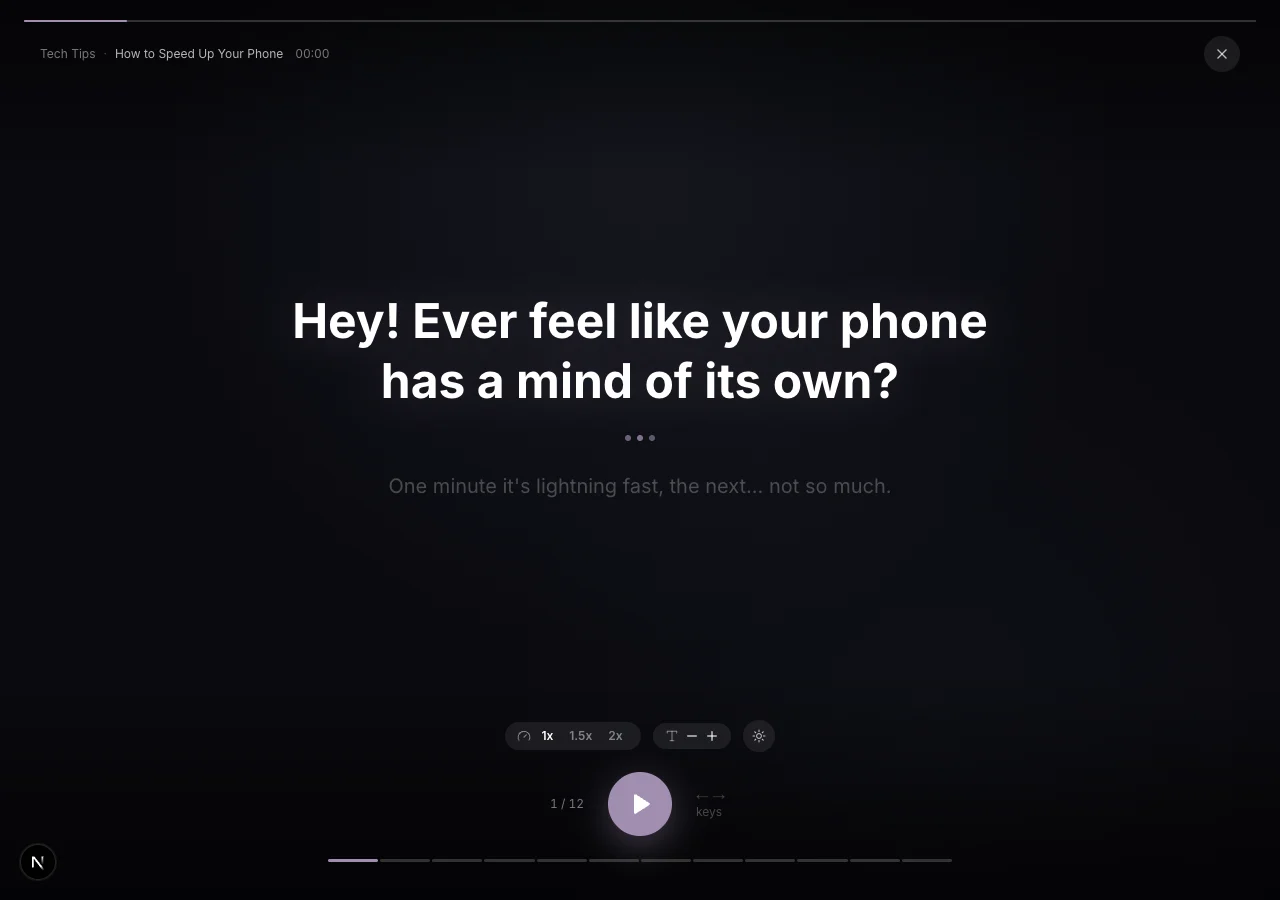
Open a finished script from your library, then choose Read on mobile or Reading Mode on web. The current line is large and the surrounding lines are dimmed, so you can focus on the words you need now.
Reading Mode is for rehearsal and delivery practice. It does not record a video. When you want to film with the words over the lens, use Capture from the script instead.
3. Make the display comfortable to read
Adjust the text size so you can read comfortably from the position you will use. Bigger is helpful until it creates too many short fragments; choose the setting that lets you take in a line without hunting for the next word.
Start with the base speed, press Play, and say the lines in your normal voice. If the words move too quickly, pause and move through them manually while you rehearse. If you consistently finish before the display advances, try a faster setting.
Reading Mode advances at a set pace. It does not listen to your speech or automatically follow your voice. The Play/Pause control and manual navigation let you take control when you need more time.
4. Give the pauses a job
The breathing dots mark a pause beat. Use it to finish a thought, look up, or let an example land. You do not have to fill every moment with speech.
Try one rehearsal where you pay attention only to the pauses. Then try another where you emphasize the words that carry the meaning. These are small adjustments, but they help you avoid delivering every sentence with the same rhythm.
On web, the arrow keys move between lines, P toggles playback, and F toggles focus mode. On mobile, use the playback and line controls. If the controls fade while playing, interact with the screen to bring them back.
5. Rehearse, revise, then film
After a practice read, go back to the script and change the two or three lines that caused trouble. One short revision is usually more useful than repeating a draft that still feels uncomfortable.
When you are ready, open Capture. Position the lens at a comfortable height and set the script pace before recording. The words are there to support you; you can still pause, smile, and deliver the point in your own rhythm.
Watch a short test take. If you seem to be scanning the text, simplify the wording or adjust the display and distance. The best setting is the one that lets you focus on the person you are speaking to.