In this guide
1. Give the video one clear job
A rough idea is enough to start, but a topic and a point are different things. “Better videos” is a topic. “Move your microphone closer before buying a new one” is a point. Decide what the viewer should understand or do after this one video.
Think about one person you want to help. What are they trying to do? What are they getting stuck on? You do not need to sound like a content strategist. A sentence in your own words is more useful than a polished paragraph that says very little.
If the thought is still incomplete, save it as an Idea. It does not need to become a finished script the moment you think of it.
2. Put the useful details into your brief
Open Home and type into the creation widget, or use the microphone to talk through the idea. Include the point, who the video is for, the details you want included, and roughly how long it should be. These details help Scripts choose the right direction.
Personal experience needs to come from you. If you want a story about something that happened, supply the actual event and what you learned. If you are making an educational video, say that. Check names, numbers, and factual claims in the draft before using them.
An example brief you can adapt
A 45-second talking-head video for someone filming their first tutorial at home. Explain three sound checks: turn off a noisy fan, move the microphone closer, and record a short test before the full take. Friendly and direct. End by asking them to listen to their test. Keep it instructional; do not invent a personal story.
3. Answer the questions that help
Send the idea with the arrow button. Scripts may ask a few short questions when it needs more direction. Choose the answer that matches what you mean rather than the answer that sounds most impressive. Different briefs can produce different questions, so there is no single form you need to memorize.
For your first attempt, keep the request to one video. A clear, small brief is easier to evaluate than asking for an entire content series before you know whether the voice feels right.
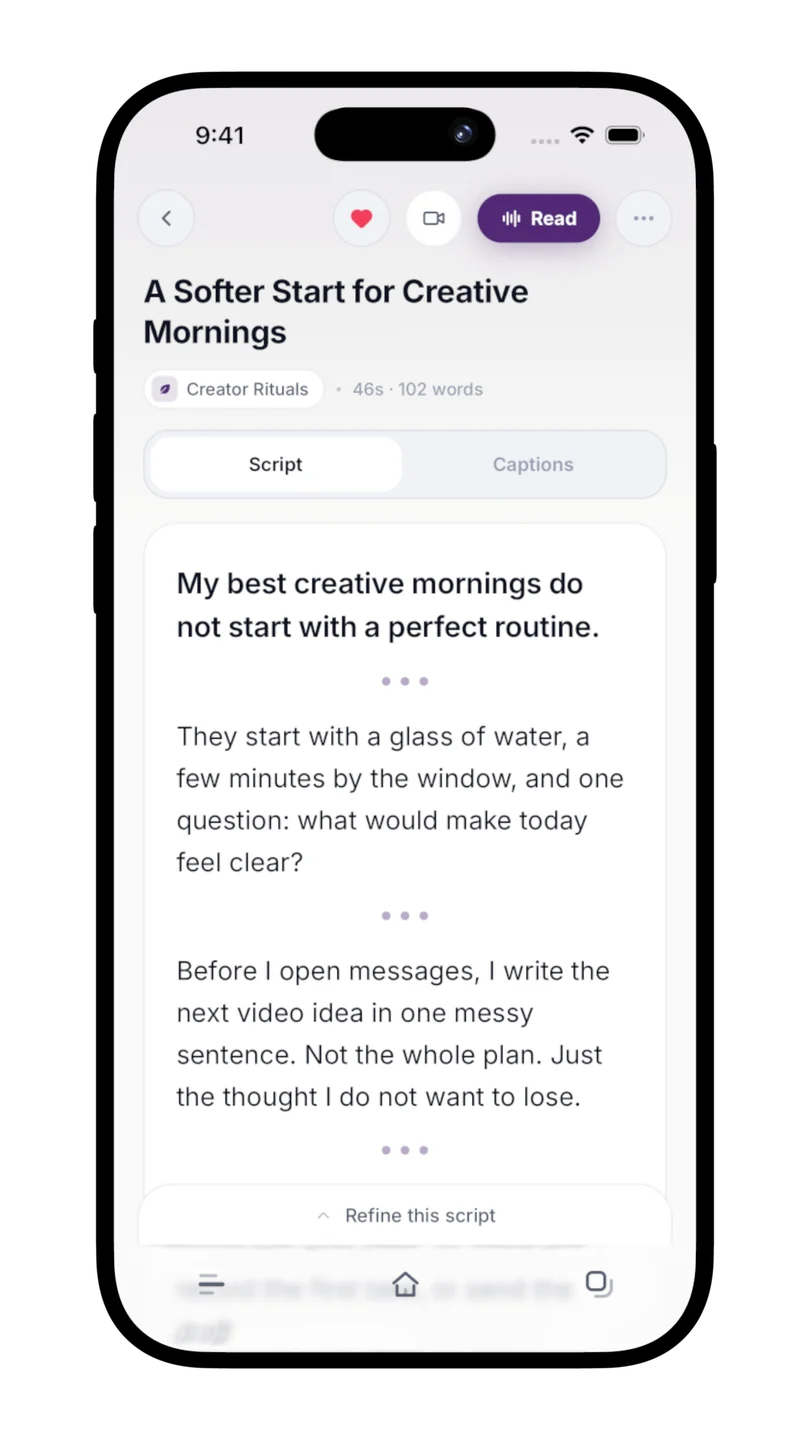
When the draft is generated, it is saved as a script. You can reopen it from the Scripts library instead of keeping a separate copy just to avoid losing it.
4. Change one thing at a time
Read the draft once without editing. Does it make the point you intended? Does the opening give someone a reason to keep listening? Is there a line you would never say? Start with the biggest problem.
Open the refinement controls below the script. Use a quick action for a focused change, such as improving the hook, shortening the draft, making it more natural, or adding pauses. For something specific, type the change you want in your own words.
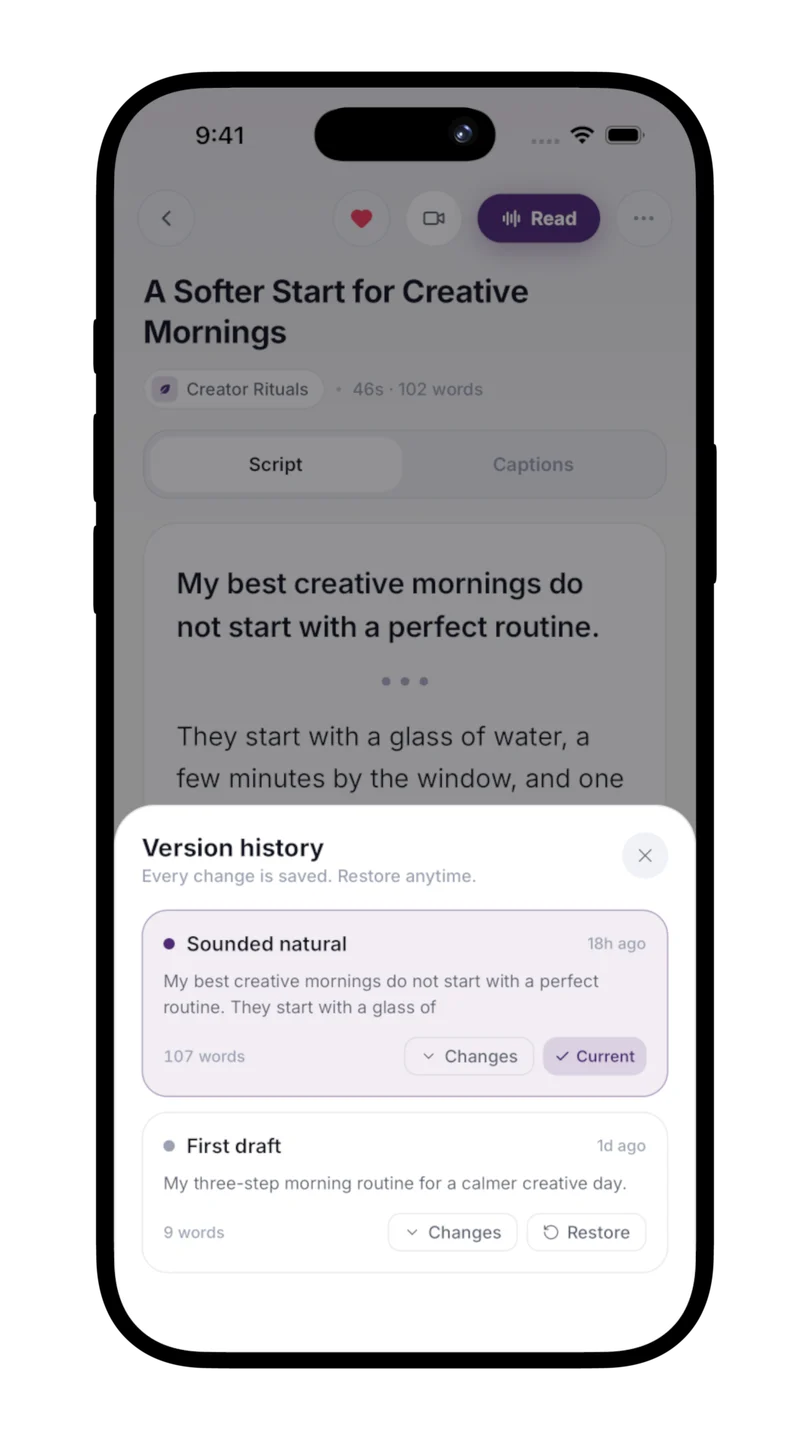
“Make it better” leaves a lot to interpretation. “Keep the three checks, remove the long introduction, and use shorter sentences” gives the revision a clear job. Read the result before asking for another change. Version history lets you review earlier wording if the new direction does not work.
You can also edit the words yourself. Replace phrases that feel borrowed with the way you would explain the point to a friend. Original wording you personally add or rewrite can later help Voiceprint learn your style.
A useful refinement request
Keep the microphone example. Cut the generic opening, use shorter sentences, and end with one practical action. Do not add any new facts.
5. Say it before you record it
Open Read or Reading Mode and say the script out loud. Notice where you run out of breath, where the rhythm feels stiff, and where you naturally change a word. Those moments tell you more than reading silently does.
Return to the draft and fix the lines that trip you up. Then rehearse once more. When the words feel comfortable, open Capture to film with the script in view. You do not need to memorize the whole draft first.