In this guide
1. Save a thought, not a finished plan
An idea bank is useful when it makes starting easier. It does not need to become a second writing project. Save a question someone asked, a useful observation, a mistake you can explain, or a lesson you actually learned.
Keep one possible video in each Idea. If a note contains five unrelated topics, split them up. When it is time to film, you want to pick a point rather than untangle a page of notes.
Include the detail your future self will forget. “Lighting” is easy to save but hard to use. “Show how facing a window changes the same talking-head shot” gives you a direction immediately.
A small idea with enough context
Show the same shot with the window behind me, then with the window in front of me. Explain the difference for someone filming at home. Use my own test footage.
2. Choose Save for later on Home
Type your thought into the Home creation widget. Once there is text, Save for later appears below it. Choose that action to keep the thought as an Idea instead of sending it for script generation.
You can choose a Space first if the thought belongs to a particular brand or content pillar. You can also leave it loose. Organization should not slow down saving something useful.
Saving an Idea does not generate a script or use your script generation allowance. It gives you somewhere to keep unfinished thoughts while you decide what deserves a draft.
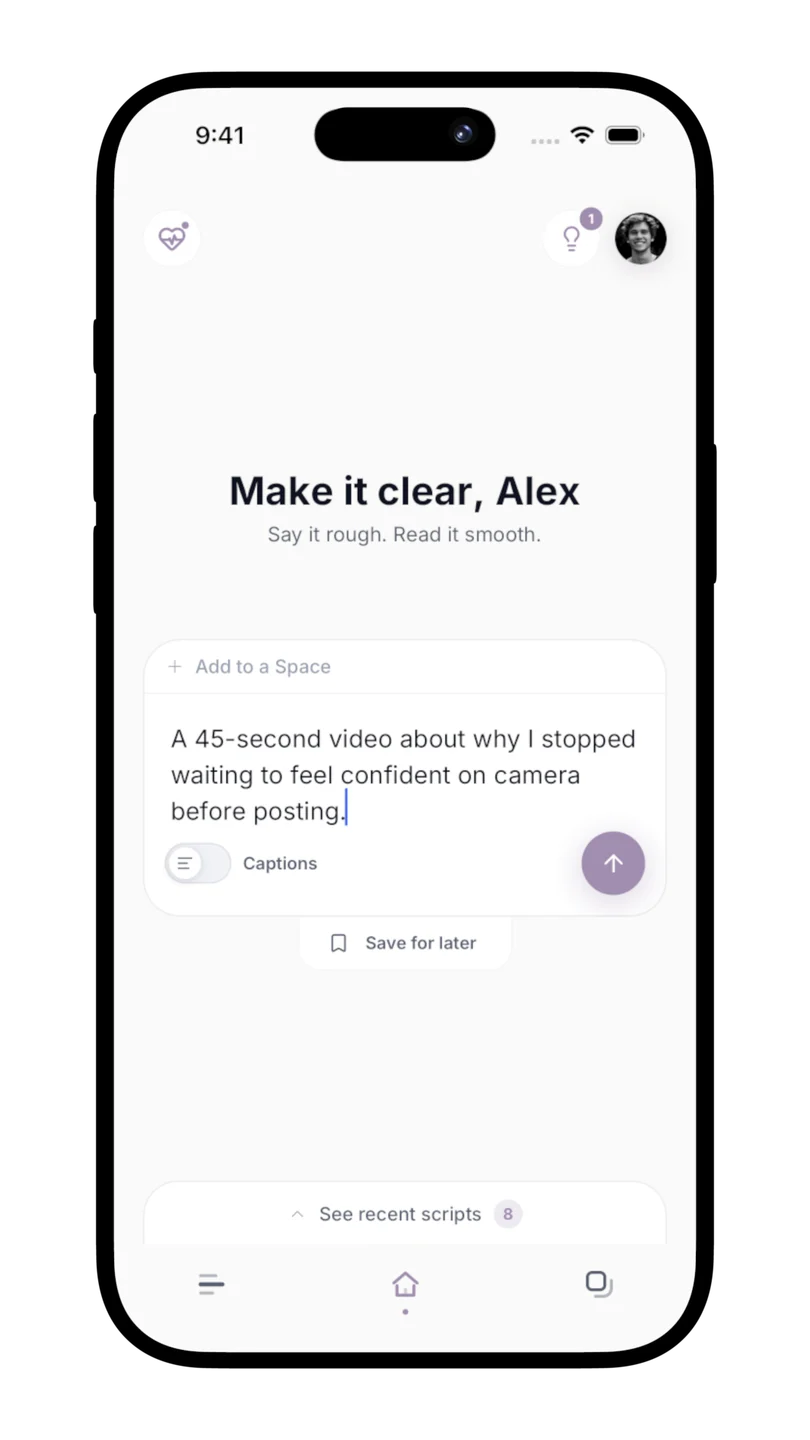
3. Find the thought when you need it
On Home, open the lightbulb button to see saved Ideas. The button shows a count when you have thoughts waiting. You can also open Scripts and choose the Ideas filter in the library.
Open an Idea to edit it. Add the real example you have since gathered, clarify the audience, or narrow a broad thought into one video. When editing a saved Idea in the creation widget, the tray says Update idea.
The library is helpful when you need to search through a larger collection. The lightbulb on Home is the quick route when you simply want a thought to work on next.
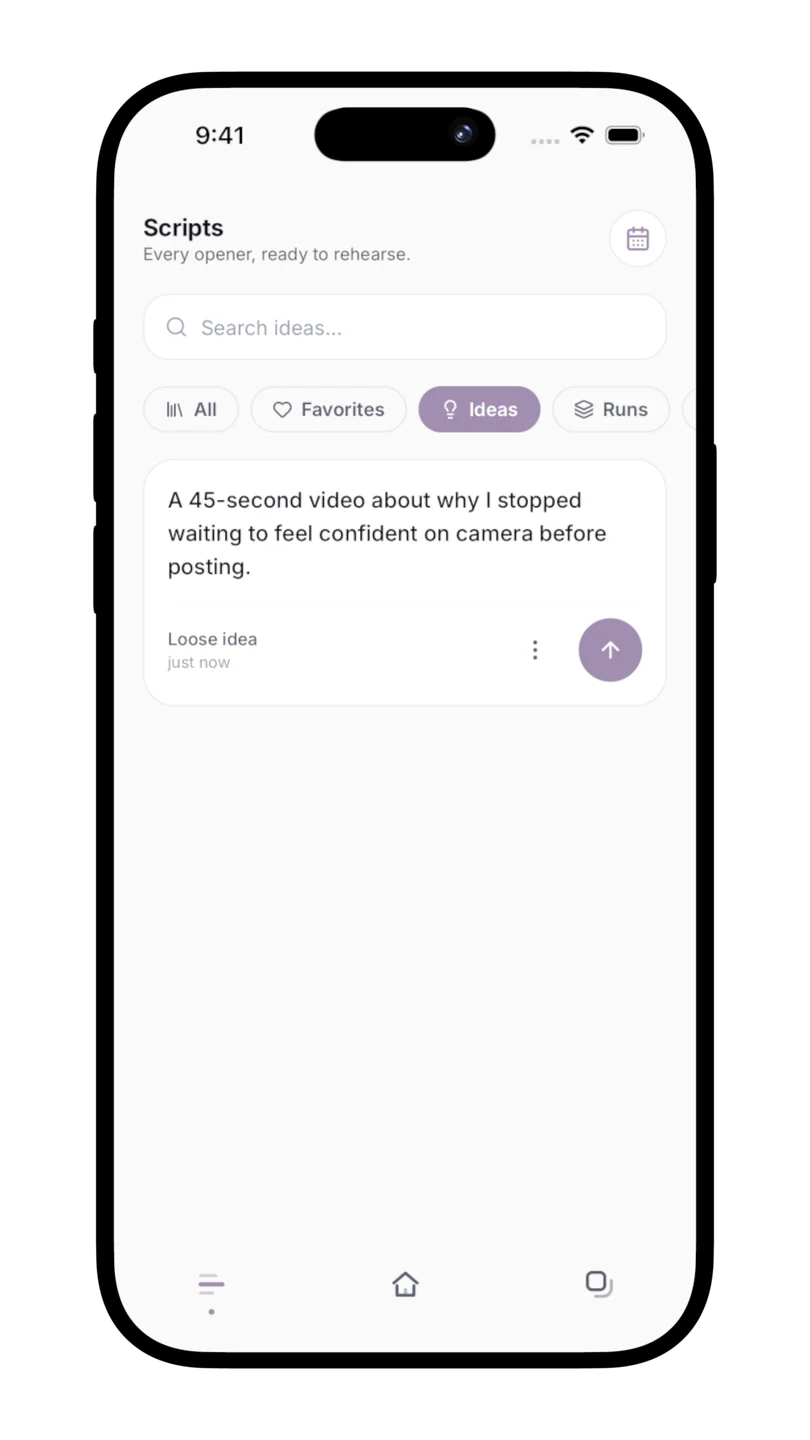
4. Pick one Idea and develop it
Choose the run arrow beside an Idea when you are ready to develop it. Scripts brings it into the creation flow, with its Space selection if you saved one. Answer any questions that help define the video, then review the draft.
For a simple routine, review your Ideas before your next recording session. Choose the one with the clearest point and a real example you can demonstrate. That is usually easier to finish than the most ambitious topic in the list.
Once the Idea successfully becomes a script, it leaves the active Ideas list. The resulting draft lives in Scripts, ready to refine, read, or film.
5. Keep the bank small enough to trust
A collection of hundreds of vague notes can make choosing harder. Occasionally edit ideas that still matter and remove ones you no longer want to make. An Idea is a possibility, not a promise to publish.
Make saving a habit attached to something you already do: after a useful conversation, after answering a customer question, or after watching your own take. Write the thought down while you still remember why it mattered.
The goal is to arrive at Home with something worth saying. A few clear, relevant Ideas are enough to make that next session easier.